Showing posts with label guide. Show all posts

Thursday, August 29, 2013

Nokia X2 02 User Manual Guide

http://blogger.blogspot.com/
Nokia X2-02 User Manual Guide
Design :
Design Nokia X2-02 passing similar to the Nokia X1-01. Differences in air-SIM music phone dual is located on the side that looks more solid. Also on the back of Nokia X2-02 there are 2 MP camera sensors and speakers of different shapes. When viewed in terms of dimensions, the Nokia X2-02 handset has dimensions of 113 mm long, 5 cm wide and 15 mm thick and weighs only 71 grams lighter.

Dual SIM technology is unique in this series, because it has the function of easy swap that could change the SIM card in the second slot without having to restart the phone. Terms weird is, the second SIM slot will not work if there is no one SIM is active or not. Special SIM 1, located behind the battery.

Designed as a music phone can be seen clearly in the presence of a dedicated music key. Internal Storage can be said to be provided. But Nokia gives the type microSD memory card slot that can be filled up to 32GB capacity. So that users can store and play thousands of songs. The slot is located on the outer frame, so the microSD can be inserted and remove it at will without having to kill the cell phone signal.

The body is made of glossy plastic with a variety of colors like black, red, and blue. Alphanumeric keypad and trackpad input four-way wrench venture into mobile software. Supported by the large size of the keys, allow users to do the typing.

Note :
SIM 2 does not work without the presence of SIM 1

Features :
As a music phone, the main ammunition lies in customer satisfaction in enjoying the song. In order to deliver the best experience, the music player on the X2-02 is equipped with an equalizer that can be configured according to user preferences. Speaker body located in the lower back, sounding very clear and tight. Nokia X2-02 can play a variety of music file formats such as Mp3, Wav, Wma, Aac + up. While the video player could gobble Mp4 file format, wmv, and H.263.

Besides enjoying the song files on the memory card, the owner of X2-02 also could hear the radio favorite, and even record it. Amazingly, this series is equipped with an internal antenna, so no need to plug earset to hear the announcers pet. Other features provided are Play via Radio, which plays songs in the SIM into the mobile audio system by way of radio frequency equating Nokia X2-02 with mobile radios.

Without the presence of LED flash, 2 MP sensor camera with a resolution of 1600 x 1200 pixels only produce standard quality. The camera is also able to record video with VGA resolution.

Homescreen presented in this variant the operator network indicator, clock, date, accompanied by 5 pieces of shortcuts that can be customized. The menu is presented like Nokia Asha 200, Symbian icons like Anna. Although relatively high mobile phone, the Nokia X2-02 can also be loaded with applications available in Nokia stores. Default application that is already embedded Nokia Life tools, photos, store, and games.

Note :
Games that have been installed into the existing variants Cuty Bloxx, Bounce tales, and Diamond rush.

Performance :
Although the entry segment of music, Nokia does not necessarily ignore outbreaks are mushrooming internet youth user. There is no choice of path alias free WiFi, owner of X2-02 only can surf through official channels operator. Although limited to GPRS, surf on this model quite well. Nokia Browser with the latest technology that is claimed to compress data up to 90 percent, making the internets in this series is lighter and efficient credit course.

Wireless connections are available in this series in the form of Nokia bluetooth and micro USB data cable types. The battery capacity of 1020 mAh supplied. Nokia claims, the magnitude, the Nokia X2-02 can last up to 18 days standby and talk time up to 9.7 hours.

[Continue reading...]

Wednesday, August 28, 2013

Acer Iconia Tab A210 Manual Guide with PDF File

Acer Iconia Tab A210 is a tablet design with a touch screen that is dominated by the wide screen. Acer Iconia Tab A210 has a resolution of 800 x 1280 pixels with no buttons at all. Acer Iconia Tab A210 has a good resolution so convenient to use to play movies with Full HD. Acer Iconia Tab A210 uses a nice casing is made of rubber so impressed soft and not slippery. In addition also provided microSD slot and a SIM card that fits that Acer Iconia Tab A210 looks charming and elegant. Acer Iconia Tab A210 has a resolution of 2 MP, 1600x1200 pixels. Chipset Nvidia Tegra 3 and CPU Quad-core 1.2 GHz. For the entire Acer Iconia Tab A210 is very nice and with a combination of modern and specifications.


 Acer Iconia Tab A210 specifications:
  •      2G Network     N/A
  • SIM     No
  • Announced     2012, Q3
  • Status     Available. Released 2012, November
  • Body     Dimensions     259.1 x 175.3 x 12.2 mm (10.20 x 6.90 x 0.48 in)
  • Weight     685 g (1.51 lb)
  • Display     Type     TFT capacitive touchscreen, 256K colors
  • Size     800 x 1280 pixels, 10.1 inches (~149 ppi pixel density)
  • Multitouch     Yes
  •      - Acer UI
  • Sound     Alert types     N/A
  • Loudspeaker     Yes, with stereo speakers
  • 3.5mm jack     Yes
  •      - Stereo sound
  • Memory     Card slot     microSD, up to 32 GB
  • Internal     8/16 GB storage, 1 GB RAM
  • Data     GPRS     No
  • EDGE     No
  • WLAN     Wi-Fi 802.11 b/g/n, Wi-Fi hotspot
  • Bluetooth     Yes, v2.1 with EDR
  • USB     Yes, microUSB v2.0, USB v2.0, USB On-the-go suppor
  • Camera     Primary     2 MP, 1600x1200 pixels
  • Features     Touch focus, face detection
  • Video     Yes
  • Secondary     No
  • Features     OS     Android OS, v4.0 (Ice Cream Sandwich), upgradable to v4.1
  • Chipset     Nvidia Tegra 3
  • CPU     Quad-core 1.2 GHz
  • GPU     ULP GeForce
  • Sensors     Accelerometer, gyro
  • Messaging     Email, Push Email, IM
  • Browser     HTML5
  • Radio     No
  • GPS     Yes, with GLONASS
  • Java     Yes, via Java MIDP emulator
  • Colors     Titanium Gray


Manual GuideAcer Iconia Tab A110
Download file
[Continue reading...]

Monday, August 26, 2013

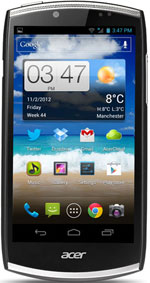
Acer CloudMobile S500 User Manual Guide

Acer CloudMobile S500 User Manual Guide Pdf - Cloud Mobile Acer S500 presence is very shocking. Recognized or not, android phone with technology from Acer does have a pretty big advantage. As I mentioned in the title of our discussion this time is Acer S500 Mobile Cloud has been powered with Dual Core processor that has a speed of 1.5GHz and has 1GB of RAM. The news says that the price of Acer Cloud Mobile S500 ready to launch at a price approaching 4 million. In addition to having power Dual Core processor, this Android phone has a great camera is 8MP. This phone has been equipped with HD video recording technology 1280 x 720.
Acer CloudMobile S500
Google Images
When dikomparasikan with acer liquid acer liquid z110 and gallant e350, which is this one, which is acer s500 mobile cloud is a terjanggih class, from sepesifikasi the latest features that technology has dolby mobile tones 3. For specs insert something must have fitted a dual core processor 1, 5 ghz with the addition of 1 gb ram, has a screen size of 4, 3 inches with a resolution capacity hd 1. 280 x 720 and on the back there is something the size of a dazzling camera of 8 MP. In this camera there is also a distinctive sophistication, presence of features like continuous shot-to-shot, live zoom, and view hd

For its own weight is quite easy with (125 grams) and very slim (9, 9 mm), acer smartphones mobile cloud dibaluti solid body consisting of aluminum and metal. Acer is the first mobile cloud premises using terrific technology acer cloud, high-it was something that gave the advantage to connect personal content has users from pc via cloud-cloud mobile wherever you happy
[Download Acer CloudMobile S500 User Manual Guide]
[Continue reading...]

Sunday, August 25, 2013

Huawei Ascend G312 qwerty User Manual Guide

Huawei Ascend G312 qwerty User Manual Guide - The phone’s overall build quality, especially with its elastic device sliding mechanism and keyboard feedback is pretty and satifying. The screen isn’t the most effective at school, but it works well with its flower S2 processor. so don’t hesitate to choose this smartphone. conjointly don’t hesitate to transfer the Huawei Ascend G312 qwerty User Manual Guide below. It’s free.
Huawei Ascend G312 Qwerty
Google Images
Here youll get Huawei Ascend G312 qwerty User Manual Guide. This User Manual Guide is written in PDF document format. It contains complete reference info and instructions concerning the way to operate the Huawei Ascend G312 properly, such as putting in place smartphone, victimisation the touchscreen, connecting to net, victimisation the camera, installing the battery and microSD card, and more. It’s a requirement have reference.

On the front, the Huawei Ascend G312 boasts a 4-inch WVGA screen. On the rear, and you’ll notice a handy camera button at the same old place yet. The Huawei Ascend G312 conjointly has 1GB of RAM, 4GB of storage and microSD enlargement, along with features like DLNA property and five-second quick boot.

As for image capturing you get a zero.3-megapixel front-facing camera plus a five-megapixel main camera (with 720p recording). The Huawei Ascend G312 runs robot a pair of.3.6. but it conjointly supports the latest robot ICS for upgrade.

Download on-line free Huawei Ascend G312 qwerty User Manual Guide. Huawei Ascend G312 is a pretty QWERTY smartphone. It packs some nice features and powerful performance. The Huawei Ascend G312 is hopped-up by a 1.4GHz Qualcomm MSM8255T chip.

[Continue reading...]

Saturday, August 24, 2013

iPhone 5 Manual User Guide

iPhone 5 Manual User Guide - Before you Free Download iPhone 5 Operating Instruction Guide / Owners Manual / Users Manual (PDF format) below. Design iPhone 5 is expected to have a curved shape to the corners. There is a glass surface on the back of the iPhone, or may be substituted back into aluminum or perhaps using the basic ingredients of the plastic.

The specifications for casing iphone 5 is also a little difficult to use in guessing the size of the screen is for sure. However, there is a possibility that the screen will be made a little more spacious and provided an extra spacious place off-screen, its function is to move the users finger later.
iPhone 5
Google Images
For the final conclusion from the results of custom iphone 5 is 4.33 "x 2.36". It has a thickness of .27 "at the top and .21" at the bottom. Surely this is a little shorter than its predecessor the iPhone 4, but wider and thinner, and slightly tapered from top to bottom.

The specifications for casing possible that later can know how exactly the dimensions of the iPhone 5 and places the key, do not forget the camera and the Apple logo placement. Here are the latest pictures of the apple iphone 5 design designed by Design Ciccarese a design firm in the United States at the request of the MacRumors, heres more:
Download iPhone 5 Manual User Guide pdf Here or Here
[Continue reading...]

Thursday, August 22, 2013

LG Optimus L7 User Manual Guide

LG Optimus L7 User Manual Guide
Design :
This latest smartphone made by lg in the box with an elegant black premium. first plus metallic corners are covered with a black color, makes it look classy. phone sharp corners slightly curved at the top and bottom. not just black, lg optimus l7 then participated in the color white. This android smartphone is not considered due to the thickness of 11 mm thick and weighs 122 grams.

LG Optimus L7 User Manual Guide

LG Optimus L7

In terms of screen size, l7 has a bigger touch screen size in its class, which is 4. 3 inches with a resolution of 480 by 800 pixels, which is equipped with clear glass corning gorilla glass. then no need to be afraid of the scratches on the screen due to contact with a pointed object. on the rear casing, has a serrated plastic material that is not slippery when grasped.

No home button on the front surrounded by capacitive back and option buttons. moment vga front camera, proximity sensor is at the top. there are volume buttons on the left and white body like a handset. moment for the port at the bottom there is a microUSB port and audio jack 3. 5 mm at the top.

Note :
Smartphones give support hotswap. means, no need to unplug the battery when issuing sim and microSD card slot.
 
Features :
LG Optimus L7 has a rear camera with 5 Mpix quality, which has autofocus and LED flash. complementary features and pretty much like the brightness, as well as the views of the continuous shoot mode, autofocus, face tracking, resolution, scene modes, ISO, white balance, color effects, geotag, shutter sound and auto reviews.

Unfortunately, video recording feature for the l7 so minus points. This smartphone can only record video up to VGA resolution (640x480 pixels) only, even though the smartphone class has been able to at least 1280x720 pixel HD video recording (720p). its features include brightness, resolution, white balance, color effects, geotag, audio recording and auto reviews. its video player can only read codec divx, xvid, mp4, h. 264, p. 263, and wmv. however, the music player can read the file format mp3, wav, wma, and eAAC +

LG Optimus L7 equip it with 3g network HSDPA 21Mbps and HSUPA 5. 76mbps, and has connectivity features like HSDPA, wifi (802, 11 b / g / n) with power wifi tethering, bluetooth, dlna, nfc, hdmi port, and microUSB v2. 0. to connect to the pc, Optimus l7 using a micro usb cable.

Note :
Fm radio to play you must first plug the headset that serves as a radio antenna. lg optimus l7 has a secondary camera with VGA resolution.

Performance :
Stretcher ice cream sandwich operating system, smart phone is ready to present a stunning user interface to the user. with the appearance of his interactive homescreen, lg offers the option to set the size of the widget to that desire. not only can be large as well as shrink the widget, ice cream sandwiches also offer recent feature application. result, the user can easily know what the final application in the open, let alone open up increasingly more of the application. then the user can do many activities with lg optimus l7.

In the hardware section is supported by single-core processor powered ghz and 512mb of ram. prepared the data storage area of ​​4 gb internal memory and microSD external memory slot which is expandable up to 32 GB can be uploaded. lg optimus l7 has a battery of 1700 mah. in normal use, this smartphone can last all day, approximately 18 to 24 hours.
[Continue reading...]

Monday, August 19, 2013

Sony Ericsson Xperia Ray Manual Guide Pdf

source image : www.google.com
Specification :
Design
From the front of the Xperia Ray looks square, and combined with black all over his body, create the impression of masculine. But the material that covers the glossy front side and her body is sleek and slim exudes an elegant impression. Moreover, the weight of the smartphone made by Sony Ericsson is fairly light, making it convenient to carry. To the side and rear plastic abrasive.

Xperia Ray adopted universal ports and slots. There is a Micro USB port on the left side of the dual function, which is to plug in a data cable and charger battery. Do not miss a hole 3.5 mm audio jack for a headset. External memory slot MicroSD adopted manifold. It is behind the rear casing and battery is not affected, but still blocked the battery, so do not hotswap.

The touch screen is capacitive in smartphone dimensions 3.3 inches LED-backlit LCD technology. In it injected power of 16 million colors with a resolution of 480 x 854 pixels. Same with other Sony Ericsson smartphones, the display here is also supported Bravia Mobile engine which gives the effect of increasingly sharp display. Also been embedded accelerometer and scratch resistant coated materials.

Note
5 homescreen can be rubbed into the right / left and can be loaded widget or shortcut menu.

Features
Xperia Ray brought 2 cameras, a VGA camera on the front body and rear body defenseless 8 megapixels. The camera has facilities such as Autofocus, Smile Detection, Scene recognition, Timer, Flash light, Digital Zoom, Geotagging and Image Stabilizer. When recording video, the camera is able to produce HD video (720p). Uniquely for download shot just touch on the viewfinder screen in any area.

Embedded WiFi, in addition to internet access was also used to share multimedia files (images, video, music, games etc.). Through the Connected Device features, this smartphone can be used as a server, so other devices (TV, Playstation, etc.) that are connected to a WiFi network to access a variety of multimedia files can be stored here. The requirement must be connected to a WiFi network that is called with DLNA sama.Teknologi.

In addition to the standard features of Android, also provided additional features. Like Adobe Reader to read PDF files. In addition there NeoReader barcode scanning function. There is also a News & Weather that presents news info and weather updates. To navigate the road, set up Google Maps and Wisepilot. There is a Facebook application that is accompanied by features of Friends Music & Video, which can display video and music is being enjoyed by your Facebook friends. There are features of Data Monitor to determine the amount of data that have been done with internet access.

Note
OfficeSuite there can only open Office files (word, excel, powerpoint), without being able to create and edit (not full version).

Performance
Android 2.3 (Gingerbread) adopted the Sony Ericsson Xperia Ray, maximized his work with the help of 1 GHz Scorpion processor, Adreno 205 GPU, MSM8255 Snapdragon chipset. As a result, various features can be run well. For internet, Xperia Ray supports up to HSDPA speeds (7.2 Mbps) / HSUPA (5.8 Mbps). Also embedded WiFi access. Xperia Ray can even be used as a WiFi hotspot, which divides Internet access cellular networks.

Battery type Lithium Ion battery capacity of 1,500 mAh, the backbone of this Ray tahanXperia power. If it is used quite frequently, the battery that was in a state of full, will be drained for about 8-9 hours. But if it is just to play a song, it can last for 36 hours.

User Manual Guide Pdf : Click Here
[Continue reading...]

Sunday, August 18, 2013

HUAWEI MMC255u User Manual Guide

HUAWEI MMC255u User Manual Guide - Due to limited space here in the web pages, information including but not limited to products specification and functional descriptions may be incomplete. For detail products information, please refer to products Users Manual. All features, functionality and other product specifications are subject to change without notice or obligation.
Huawei Image
The availability of particular products, services and features may vary by region. These specifications and products appearance are subject to change without prior notice.

Huaweis product names are either trademarks or registered trademarks of Huawei. Huawei reserves the copy right to all products, company name and information not marked herein with TM ( Trademark ) and ®.

Operation times and performance of battery may vary depending on operator network configuration, signal strength and usage.

Specifications:
  • UMTS/GRPS/GSM
  • Realistic display (7-inch TFT LCD/800 x 480/16:9)
  • Receive photos from MMS/Internet/SD card
  • Touch keystroke
  • Plug&play
  • 3G
Download Here HUAWEI MMC255u User Manual Guide
[Continue reading...]

Saturday, August 17, 2013

HTC DROID DNA Smartphone Manual Guide and Reviews

HTC DROID DNA is a smartphone design with a touch screen that is dominated by the wide screen. HTC DROID DNA smartphone has a resolution of 1080 x 1920 pixels with no buttons at all. HTC DROID DNA has a good resolution so convenient to use to play movies with Full HD. HTC DROID DNA smartphone uses a nice casing is made of rubber so impressed soft and not slippery. In addition also provided microSD slot and a SIM card that fits that HTC DROID DNA smartphone looks charming and elegant. HTC DROID DNA smartphone has a resolution of 8 MP, 3264x2448 pixels, autofocus, LED flash. Chipset used Qualcomm MDM615m/APQ8064 and CPU Quad-core 1.5 GHz Krait. For the entire HTC DROID DNA smartphone is very nice and with a combination of modern and specifications.


HTC DROID DNA specifications:
  • 2G Network     CDMA 800 / 1900
  •       GSM 850 / 900 / 1800 / 1900
  • 3G Network     CDMA2000 1xEV-DO
  •       HSDPA 850 / 900 / 1900 / 2100
  • 4G Network     LTE 700
  • SIM     Micro-SIM
  • Announced     2012, November
  • Status     Available. Released 2012, November
  • Body     Dimensions     141 x 70.5 x 9.7 mm (5.55 x 2.78 x 0.38 in)
  • Weight     141.7 g (4.97 oz)
  •      - Touch-sensitive controls
  • Display     Type     Super LCD3 capacitive touchscreen, 16M colors
  • Size     1080 x 1920 pixels, 5.0 inches (~441 ppi pixel density)
  • Multitouch     Yes
  • Protection     Corning Gorilla Glass 2
  •      - HTC Sense UI 4+
  • Sound     Alert types     Vibration, MP3, WAV ringtones
  • Loudspeaker     Yes
  • 3.5mm jack     Yes
  • Memory     Card slot     No
  • Internal     16 GB (11 GB user available) storage, 2 GB RAM
  • Data     GPRS     Yes
  • EDGE     Yes
  • Speed     HSPA, EV-DO Rev. A, up to 3.1 Mbps; LTE, Cat3, 50 Mbps UL, 100 Mbps DL
  • WLAN     Wi-Fi 802.11 a/b/g/n, Wi-Fi Direct, DLNA, Wi-Fi hotspot
  • Bluetooth     Yes, v4.0 with A2DP
  • NFC     Yes
  • USB     Yes, microUSB (MHL) v2.0
  • Camera     Primary     8 MP, 3264x2448 pixels, autofocus, LED flash
  • Features     Simultaneous HD video and image recording, geo-tagging, face and smile detection
  • Video     Yes, 1080p@30fps, stereo sound rec., video stabilization
  • Secondary     Yes, 2.1 MP, 1080p@30fps
  • Features     OS     Android OS, v4.1 (Jelly Bean), upgradable to v4.2 (Jelly Bean)
  • Chipset     Qualcomm MDM615m/APQ8064
  • CPU     Quad-core 1.5 GHz Krait
  • GPU     Adreno 320
  • Sensors     Accelerometer, gyro, proximity, compass
  • Messaging     SMS (threaded view), MMS, Email, Push Email
  • Browser     HTML5
  • Radio     TBD
  • GPS     Yes, with A-GPS support and GLONASS
  • Java     Yes, via Java MIDP emulator
  • Colors     Black

Download User Manual Guide  HTC DROID DNA
click file here
[Continue reading...]

Wednesday, August 14, 2013

Samsung B5330 Galaxy Chat Guide User Manual

http://blogger.blogspot.com/
Samsung B5330 Galaxy Chat
Samsung B5330 Galaxy Chat Guide User Manual
Design :
The primary is that the Samsung Galaxy professional B7510. currently Samsung offers Galaxy Chat B5330, Associate in Nursing mechanical man smartphone with OS ICS (Ice Cream Sandwich). In terms of style, the Galaxy Chat hybrid construct, it suggests that adopting twin inputs, each bit screen and a physical qwerty input device. the planning has Associate in Nursing applied science dimensions with size of 118.9 x 59.3 x 11.7 millimetre and weighs 112 grams.

Galaxy Chat carry the kind electrical phenomenon TFT screen with 256K color depth. Landscape screen is three inches with a resolution of 240x320 pixels. Screen quality is simply normal, with a density of 133 ppi pixels. simply on top of the screen theres a proximity sensing element and lightweight sensing element. whereas below the screen there area unit 3 touchpad to manage the menu back, home and app. Sweeten style, the plastic round the body coated with nuanasa chrome list.

Heading to the rear facet of the show, embedded lense and speaker holes. Not several instruments that complement the body Galaxy Chat, on the left facet theres solely on / off button that conjointly acts as a screen lock button. Instead theres solely the proper facet volume keys. even as in different Galaxy gadgets, placement three.5 millimetre audio port on the highest facet. For the location of the microUSB port is on the lowest facet.

Note :
MicroSD lies behind the rear cowl, to put in and take away no got to shut down the phone initial. Samsung popularize this methodology as heat swap.

Features :
Despite bearing the mechanical man OS four.0, however the stock of Galaxy Chat feature appearance mediocre. this can be as a result of the merchandise section within the socio-economic class down. Chat believe Galaxy a pair of Mpix camera resolution (1600x1200 pixels) with no secondary camera. The menu conjointly versatile camera support ngepas, no machine focus, macro mode, ISO, flash lightweight. nonetheless still there area unit white balance, night mode, effects, icon editor, and timers. To record the video, the most resolution which will be achieved is VGA (640x480 pixels) at twenty five frames per second.

For diversion, the music player is provided with Associate in Nursing equalizer, shuffle, and listing. theres conjointly Associate in Nursing FM radio with RDS capabilities. though the upper-middle-class nature as a widget, Galaxy Chatve got adequate property capabilities, like with a regular WLAN b / g / n and Bluetooth version three.0. affiliation to cellular networks has reached the amount of HSDPA seven.2 Mbps and HSUPA five.76 Mbps. the power of the browser is additionally quite sensible, the screen may support pinch zoom perform.

Note :
Like the different Galaxy series, the Samsung Galaxy Chat conjointly equipped with workplace applications, specifically Quickoffice. however sadly given solely a restricted version, the alias for the document viewer, cannot produce new documents.

Performance :
Samsung Galaxy Chat priced prime Rp1.499.000. In terms of worth looks Samsung attempt to fulfill the wants of mid-market are going to be a capable mechanical man widget however at an inexpensive worth. Galaxy Chat employing a single 850 megacycle per second processor. From the facet of the processor is incredibly simple, however in trials some in style applications like Twitter, Facebook, and WhatApp will run at the same time with pretty neat.

In a unleash Abroad mentioned that the Galaxy Chat carrying 2 navigation chipsets, specifically GPS (Global Positioning System) from the U.S. and GLONASS (Global Navigation Satellite System) from Russia. will be} doable because the condition that the Galaxy Chat can be sold  in Russia. however in keeping with sources from platinum.

Galaxy Chat diitenagai Li particle battery with a capability of 1200 mAh. Of capability are often achieved up to 520 hours of standby time in 2G networks, whereas in 3G mode up to 380 hours. For up to fourteen hours of speak time on 2G networks and five hours on 3G networks.

Visite : User Manual Guide Samsung B5330 Galaxy Chat
[Continue reading...]

Saturday, August 10, 2013

LG Optimus Net Dual P698 User Manual Guide

LG Optimus Net Dual P698 user manual guide free pdf download instruction book online operating Setting Troubleshooting Support - LG Optimus Net Dual equipped with Android OS v2.3 Gingerbread and 800 MHz processor. The camera features a powerful 3.2 megapixel camera embedded accompanied by autofocus, unfortunately theres no flash or videocall camera. LG P698 has a 3.2 inch TFT type capacitive touchscreen resolution of 320 x 480 pixels with 256K colors.
LG Optimus Dual P698
Google Images
LG Optimus Net Dual use HSDPA data speeds so surf by using HP is pretty good when browsing the virtual world, the completeness of other connections at HP is that there is a WiFi hotspot, DLNA, Bluetooth version 3.0 and microUSB v2.0

Here you are the User Guide PDF Manual Copy / for LG Optimus Net Dual P698 directly from LG official website. LG Optimus Net Dual P698  user guide in English, Download from the Links below
[Download LG Optimus Net Dual P698 User Manual Guide]
[Continue reading...]

Tuesday, July 30, 2013

Samsung Galaxy Tab 2 10 1 manual or GT P5100 user guide

The Samsung Galaxy Tab 2 10.1 manual or GT P5100 user guide now available for download directly at samsung official website. The Samsung Galaxy Tab 2 10.1 (GT-P5100) user guide comes in PDF format with file size of 8.33 MB consisting of 146 pages and support in english, germany, dutch, espanol and french language.The Samsung Galaxy Tab 2 10.1 GT P5100 manual is instructions ebook that very useful for owner of this tablet because provide many reference information and tutorial to operate with correctly. In the Samsung Galaxy Tab 2 10.1 user manual you can find information and can learn about learn tablet layout with keys functions, how to insert the SIM card or USIM card, charge the battery tutorial, insert a memory card, turn on /off device, use the touch scren, lock or unlock guide, access the applications, customise tablet on page 31.
 Samsung Galaxy Tab 2 10.1 P5100 Manual Cover


Table of content for the Samsung Galaxy Tab 2 10.1 P5100 manual / user guide:

  • Using this manual
  • Contents
  • Assembling
  • Getting started
  • Web and GPS based services
  • Communication
  • Entertaiment
  • Personal information
  • Connectivity
  • Tools
  • Settings
  • Troubleshooting
  • Safety Information
  • Index
Get and download the Samsung Galaxy Tab 2 10.1 P5100 manual / user guide here:
[Continue reading...]

Thursday, July 25, 2013

Samsung S5300 Galaxy Pocket Manual Guide

Samsung S5300 Galaxy Pocket Manual GuideSpecification :
The Samsung Galaxy Pocket fairly small and compact thanks to the dimensions 103.7 x 57.5 x 12mm and weighs 97gram only when weighed. Back cover slightly rough texture grip segingga become more tightly and not slip when sweating. The edges of this device does not taper so much more streamlined. Appropriate labels carried, simple phone is quite comfortable to grip or put it into his pocket.

The front of the Samsung Galaxy Pocket dominated by a 2.8-inch capacitive touch screen resolution of 240 x 320 pixels. There are three buttons at the bottom of a typical Samsung. The home button in the middle, with two capacitive soft keys on either side: Menu and back. While the buttons on the left edge of the function for setting the volume, and the right edge of the lock screen.

Note
The USB port is on the bottom of the phone, used for battery charging and data connection. Although the location of the MicroSD slot behind the back cover there, Galaxy Pocket still carry the concept of hot swap.

Features
Smartphone with Android 2.3 Gingerbread OS is equipped with a high-quality camera 2 megapixels (1600 x 1200 pixels). The power of the camera is quite unreliable when shooting outdoors with abundant light conditions. While in indoor conditions, a decline in the quality of the photos.

To support the functions of the entertainment, the Galaxy Pocket available certainly available codec music player with MP3, WAV, AAAC +. When the volume was raised, there was a bit of a nuisance. As for the video player can read MP4 format. Not forgetting there is Stereo FM radio with RDS (Radio Data System).

For the user interface, the Samsung Galaxy Pocket brings famous creation, the TouchWiz UI, which will serve you in your choice of seven main page. All of these pages can be touched characteristics as needed by adding widgets and icons.

Note
For the satisfaction of users, the Samsung providing access to the Samsung Apps to download free and paid applications. Other features are also available Social Hub, Gmail, YouTube, Latitude, and much more

Performance
In accordance with the price Bandrolnya only Rp1 million, Galaxy Pocket performance was enough to carry the 832 MHz processor. To boost internet access, readily available access HSDPA 900/2100 up to 3.6 Mbps, equipped with WiFi access. When the low-end phones usually glass boards difficult executed, but does not apply to this phone. Galaxy Pocket quite responsive.

Capacity limited to 3 GB internal memory with additional 32GB external memory can reach. Samsung Galaxy Pocket powered by a Lithium Ion battery with a capacity of 1200 mAh, which in theory can last up to 340 hours.

Specifications And Download User Manual Guide : Click Here
[Continue reading...]

Monday, June 10, 2013

Sony Ericsson j108i Cedar User Manual Guide

http://blogger.blogspot.com/

Sony Ericsson j108i Cedar User Manual Guide
Design :
Sony Ericsson Cedar is designed bar still carry the hallmark of the old. Human Curvature ie, where the body behind his back arched like a human. For quite light weight, while the hands of the right size, although not fairly petite. Plastic abrasive body contour. It looks minimalist, not a lot of ports, slots or buttons around the body. For the keypad, navigation, softkey is spacious. Sony Ericsson claims 50% of the mobile phone can be recycled and do not harm the environment.

Cedar screen size is quite roomy and sharp. Cedar brings something new in front of the display screen. Namely the existence of some widgets (Facebook, My Space, Notes, Twitter, Clock) that line, but hidden.

Sony Ericsson Cedar minimalist look. The body only dihiasai Micro USB port and 3.5 mm Jack hole. Pinned Micro USB port on the left side as entrance data cable and charger. Oddly enough, usually using a Sony Ericsson Pop port type of port for data cable and charger. While Jack 3.5 mm for a wired headset is placed on the upper body.

Note :
Sayangkelima widget that can not be replaced. To display the main menu option is provided Rotating, where the menu icons will appear in the play.

Features :
For browsing capabilities, still rely Netfront browser. Initially display is still typical, such as Google Search, Enter Address, and some links. Supplied virtual zoom buttons to zoom the site. Browser supports WAP and WEB display.

Entertainment features provided by this phone include Music Player, which include shuffle, loop, equalizer, stereo widening. View Music Player can be changed according Styles provided 6 options. Do not miss the FM radio feature. There is also the Track ID feature that can give you the info of the song that was heard (singer, title, album, etc.).

Sony Ericsson Cedar brings powerful 2 megapixel camera. The camera is accompanied facility panorama, frames, burst, night mode, self timer, white balance, effects, geo tags, brightness and digital zoom. There was also the Photo Fix that can automatically justify the images are dark. The camera can also record video resolution of 320 x 240 pixels. There is a Video Call feature, but not Cedar does not provide a front camera (secondary). So actually Video Sharing, because it uses the rear camera.

Note :
Sound less banter in the bottom left speaker. The images can be sent directly to facebook or twitter. Can also be seen shooting position on a digital map. Video results can be sent to You Tube.

Performance :
In general, the various features available in Sony Ericsson Cedar is able to run smoothly. But sometimes perceived to type text response is late compared to the speed of the finger pressing the keypad.

To support the various activities, the phone is equipped with a Lithium Polymer type of battery charge capacity of 1000 mAh. We tried to enjoy the various features in this phone, the battery can last all day.

Visite : User Manual Guide Sony Ericsson j108i Cedar


[Continue reading...]

BlackBerry Torch 9800 Manual Guide Pdf

source image : www.google.com
Specifications
Design
In this state the hidden QWERTY keypad, Torch body size comparable to Onyx. The design is also somewhat similar, with the silver list that decorate around the edge. Most of the plastic form glosy Torch body, except the back (battery cover) is made of rubber contoured horizontal line. Torch decorated hole Jack 3.5 mm headset, the volume keys and camera button on the right side and MicroUSB port (for charger and data cable) on the left side. At the bottom of the screen pinned buttons: Trackpad, Call, End Call, Back and Option (blackberry logo button).

The touch screen is no longer in Tocrh SurePress as Storm series. Rather be a regular touch screen. Display menu is divided into 5 homescreen (Favorite, Media, Downloads, Frequent), which can be replaced by rubbing the screen to the right / left. In addition to a touch screen, can also access the menu with the Trackpad. Four buttons on the right and left Trackpad, a glimpse of the type touchpad, turned out to be the usual buttons to be pressed. To pull out qwerty keypad, just slide the screen up. Qwerty keypad feels soft pressed, position and size is also convenient.

Note :
When gripped Torch feels quite weighty. : The touch screen was sensitive. But when jelejah menus with the touch of a finger, press and also uncommon mistake.

Features
Internet access was fast because the Torch could walk up to the HSDPA / HSUPA (3.5 G). Or can also be connected via WiFi. The browser can open multiple sites at once (multitasking), and can be viewed in a row. This new feature on the Blackberry OS 6. There is a feature in your browser Find on Page (search words), Send Page Address (to send the site address), Copy Page Address, and Search (via Google, Yahoo, Live Search, Wikipedia, Dictionary.com).

5 megapixel camera that carried the Torch comes: Autofocus, Flash, Face Detection, Portrait, Sport, Landscape, Close-up, Image Stab ilization, Scene and Geotagging. There is nothing new in the Music Player, namely the animated display of Album Art (the picture accompanying the song) that was owned by the song. So to change the song enough to wipe Album Art kana or left. Music Player comes with its own features Playlist, Shuffle, Repeat, Equalizer (12 choices) and Audio Boost.

Torch has embedded GPS receiver, a digital map assisted in working the Blackberry Maps. When activating Blackberry Maps, automatically detects the location where the phone immediately located. After that point the location could send it (Send Location), seeking certain other locations (Find Location) or knowing route to a specific location (Get Direction).

Note :
If you want to hear the songs sound more stereo, can use the default headset. Or it could be via Bluetooth Headset
Performance :
The touch screen on the Blackberry Torch which is no longer SurePress, it feels more comfortable. And for those who are unfamiliar, no qwerty keypad that feels soft pressed. Latest operating systems (Blackberry OS 6), also provide comfort differently than previous Blackberry series. Supported the performance of this phone is fairly fast in turn sharing feature.


RIM claims that the battery in the Torch (in full state) can last for 30 hours if it is just to play a song, and 6 hours if you just play the video. While trying to enjoy the various features, a battery capable of supplying power during the day.

Download User Manual Guide : Click Here
[Continue reading...]

Sony Ericsson Xperia Mini Pro User Manual Guide

http://.blogspot.com/
Sony Ericsson Xperia Mini Pro
Design :
Unlike the usual Xperia Mini, Sony Ericsson Xperia Mini Pro features a qwerty keypad that hides behind the screen. The size is also slightly different, 92 x 53 x 18 mm, slightly larger than the Mini. Similarly, a few grams heavier weight. Problem screen, Xperia Mini Pro select 3-inch capacitive screen with 16 million color depth. Perfect brightness level, and does not reflect light even under sunlight though.

Buttons are embedded in the body over the Xperia Mini facilitate its use. At the top as usual there will be a power button, while on the right there are volume control and camera shutter made from metallic. The home button on the face of the smartphone flanked by two soft keys that serve as return and the option.

Note :
You can take a pair of memory card without turning off the device, or a concept called hotswap.

Features :
In the music player, equalizer settings and options are xLOUD, to increase the level of loudness of the speaker. Songs stored in the playlist can be set as a ringtone. This feature is capable of playing MP3, eAAC +, WMA, danWAV. Still concerning music, TrackID application will help you recognize a song even if only played piece.

There is a 5-megapixel camera on the Sony Ericsson Xperia Mini Pro, the picture is quite okay and can be sent directly to Picasa. Remarkably, the camera is capable of recording high definition video. The interface features a lot of help when imaging to capture the moment. Various options can be accessed with just one touch, and you also have a video editor who is qualified. The video can be directly uploaded to your youtube account or directly sent via MMS or bluetooth to your friends.

Note :
Various distinctive features such as Android Market, Maps, Navigation, YouTube, Places, Gmail, and Gtalk present here.

Performance :
Internal storage capacity Xperia Mini Pro which is equal to 400Mb, larger than the Xperia Mini usual. While this type of processor, operating system version, type of screen, even the same amount of RAM. Undoubtedly the power works the same, or slightly more advanced than his brother. Pro frills will convince you that he is really for those who are Pro.

According to available data, this smartphone in 3G network capable of up to 320 hours standby and worked non stop until more than 5 hours.

[Continue reading...]

Apple iPhone 4 User Manual Guide

http://.blogspot.com/
Apple iPhone 4 User Manual Guide
Design :
iPhone 4 feels a bit stiff than the previous series. But the body is thinner (9.3 mm) than the iPhone 3Gs (12.3 mm). iPhone 4G is also more slender (width 58.6 mm), compared to the iPhone 3Gs is 62.1 mm wide. For weight, the iPhone 4 2 grams heavier than the iPhone 3Gs. Front and rear side of the phone is covered by Apples glass panels are stronger and more scratch resistant.

Same as the previous series, the iPhone 4 is decorated a little ornaments. Such as flat port, to insert the data cable and charger, which is on the lower body and flanked by two speakers. Then there is a hole 3.5 mm Jack (headset) and the power button on the top side. On the left side pinned buttons: Volume and Silent. SIM card slot is located on the outside of the right side of the body. How to insert the SIM card with small holes punched in the lid using a simcard slot needle, then place the SIM card will come out. Do not forget the Home button (below the screen) that characterizes the iPhone.

Same with iPhone 3Gs, iPhone 4 is also a capacitive touch screen TFT 16 million colors, 3.5 inches. But the iPhone 4 display screen is much sharper, with a resolution of 640 x 960 pixels. So call it the iPhone display Retina. This screen adopts the same technology as the iPad, the IPS (In Plane Switching) to display a wider angle.

Note :
Type Port flat aft feels exclusive, since no other mobile phone use. iPhone 4 uses a micro SIM card type (smaller than normal SIM cards), and the new XL has.

Features :
Differences with the iPhone 3Gs 3 Mpix camera, rear camera on the iPhone 4 body quality 5 MP camera plus flash. The camera has autofocus, but can also focus manually, by tapping (tap) on the object image on the screen in any position. Part in focus will be automatically added Exposure and brigthness, to be more sharp.

One new feature that brought the iPhone 4 is a secondary VGA camera is displayed at the top of the screen. Indeed this camera for video calls, but in fact can take pictures and record video. Video call service on the iPhone 4 called Face Time. How to use it is to tap on the Contact name, then tap the FaceTime button.

iPhone 4 supports all Internet paths, GPRS, EDGE, 3G, HSDPA (7.2 Mbps), HSUPA (5.76 Mbps) up to WiFi. Mengandalan Safari browser for browsing the zoom can autorotate, or in-Zoom In / Out by double-tap or pinch. Safari has a Fraud Warning feature that when activated can restrict access to the site for the children. Sites that are frequently accessed, can be made the icon on the homescreen. Also provided the Facebook icon, Google Search, Skype, YouTube and others. When trying to open Facebook, can refresh just by shaking the phone.

Note :
Can video call via WiFi between the members of the iPhone 4. Two viewfinder video call, one size fullscreen and only a small box in the lower left corner of the screen.

Performance :
IPhone 4 didukung performance 1 GHz A4 processor and iOS 4 operating system which makes access a variety of features that are felt quickly. Ability multitaskingnya also not interfere with the performance of this phone at all. But then again, when gripped body is not as comfortable as its predecessor the iPhone 4.

Battery Performance :
Steve Jobs claims the iPhone 4 battery can last for 14 hours of talk, 6 hours of browsing via 3G, 10 hours of browsing via WiFi, 10 hours of video playing, 40 hours playing music and 300 hours of standby. When using the various features, the iPhone 4 battery can last all day.

[Continue reading...]

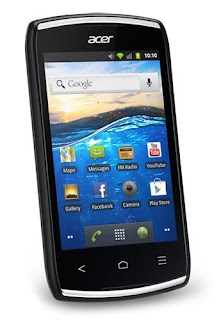
Acer Liquid Z110 Duo User Manual Guide

Acer Liquid Z110 Duo User Manual Guide Pdf - Acer Liquid Z110 Duo is a dual SIM smartphone that come to enliven the local market. Designed with the hallmark made ​​by Acer that the grooves on the top and bottom of the smartphone. With a weight of 100 grams and dimensions of 110 x 61.5 x 12.3 mm smartphone is similar to the previous series of Liquid E. equipped with a touchscreen display, Liquid Z110 duo also accompanied the power button along with a 3.5mm audio jack port right at the top. On the right there are the volume rocker and the microUSB port on the bottom. On the back of the camera and Acer membelakalinya speaker holes. But for the camera along with flash
Acer Liquid Z110 Duo
Google Image
Acer Liquid Z110 Duo with touch screen that is able to generate 256 thousand colors and 3.5 inches wide. Views are dihasilkanpun not so good with a resolution of 320 x 480 pixels. For its OS, Liquid Z110 Duo put on Gingerbread. This is what is one of the drawbacks that should be in the fix so that the phone can also be a competitor to another. Liquid Z110 Duo presents only homescreen, lockscreen and icons to the standard model Gingerbread. There is only one difference that in notification tray with less display a few easy toggle which function to control some fiturr such as Bluetooth, wifi, GPS and others. The processor used by this smartphone is MTK MT6575M with a speed of 1 GHz and supported by 512 MB of RAM. For batteries inserted with Li-Ion 1300mAh battery, battery with standard quality if classified smartphone

Here you are the User Guide PDF Manual Copy / for Acer Liquid Z110 Duo directly from Acer official website. Acer Liquid Z110 Duo user guide in English, Download from the Links below
[Download Acer Liquid Z110 Duo User Manual Guide]
[Continue reading...]

Motorola Milestone Manual Guide Pdf

http://.blogspot.com/
Motorola Milestone Manual Guide Pdf
Design :
Motorola decision it facet slide keyboard. Yes, as a result of once aloof from the left can seem qwerty keyboard-equipped 4-way navigation thats simply accessible by the proper thumb. within the center of the navigation buttons are coloured gold as a operate Enter.

The screen is roofed and most diagonal size of 3.7 inches. additionally to broad, quality little question. With a depth of 16 million colours to indulge the eyes once viewing photos or looking at video files. To conserve battery life, the screen will sleep mechanically and secured with the facility button. Response of the bit screen is sort of responsive. By adopting golem OS 2.1, we are able to place a crosscut to 9 and every screen will be met 16 shorcut applications and different options.

Note :
The entire body is preponderantly black

Features :
The quality of music therefore spectacular once detected through the telephone receiver innate Motorola. elaborated instruments like percussion, piano, drums, bass, and a lot of therefore real as we tend to detected live music. To optimize audio, audio effects will be tuned within which is found on the most menu, except for the music player application.

And comes with a capability of 5 MP camera (2592x1936 pixels resolution), its quite enough to place footage on Facebook, Twitter, or put it aside in Picasa. once the results are displayed on the mobile screen hasten in any respect. However, once viewed on a visual display unit with applications Photoshop (zoom 100%) there was a small decline. once shooting at an outside location, we are able to use the geo-tagging mode to alter the GPS (global positioning system) to record the coordinates of the icon file.

The GPS feature will be used {when we tend to|once we|after we} wish to understand the coordinates of where we area unit. And, once combined with the digital map are a lot of obvious and might guide our journey at a given location. There are 2 digital maps which will be used as a reference for the move, that Google Maps and MOTONAV (source of Tele Atlas).

For Google Mail account owner get rather more advantages, one of that is synchronizing content from the net to your phone, like contacts and calendar. however the setting is additionally quite simple, simply enter your username and positive identification, then we are able to receive and send emails simply. customary property protocols like Bluetooth and mini USB cable is obtainable.

Note :
Results will be instantly shared to varied applications like Bluetooth, Facebook, Twitter, Gmail, or MMS when photographing.

Performance :
In general Milestone ready to operate properly. the power to method information and perform numerous functions, like functions of the phone, multimedia, messaging, and browsing swimmingly all. Of special note is given to the operate of the music player, that is capable of manufacturing a transparent and balanced sound. Response bit screen is additionally on top of average rata.Yang a record is Associate in Nursing external memory slot tucked in and not hotswap.

Although equipped with a capability of up to 1420 mAh, the battery goes to be quickly depleted once the greedy power options like music, 3D games, and browsing dipanteng perpetually. In testing batteries last 1-2 days with fairly serious usage.

Visite : User Manual Guide
[Continue reading...]

Sunday, June 9, 2013

Samsung N5100 Galaxy Note 8 0 User Manual Guide

http://.blogspot.com/2013/04/samsung-n5100-galaxy-note-80-user.html
Samsung N5100 Galaxy Note 8.0 User Manual Guide
Design :
achieve greatness in the classroom after the android 5-inch, 7-inch, and 10. inch, samsung mobile is currently offering new android tablet on the 8-inch screen class in the series n5100 galaxy note 8. 0. the entry in the family "note," then this tablet has characteristics in terms of design, where there is provision to the built-in stylus pen, just like any three series galaxy note at first, in terms of design, galaxy note 8. 0 does not seem like a rigid tablet shape generally. The tablet carries a curved shape in terms of, at first glance similar to the smartphone galaxy s iii, galaxy note just only size 8. 0 sufficiently jumbo with 210 dimensions, 8 times 135, 9 times 8 mm and weighs 338 grams. thickness is only 8 mm in terms of ergonomics and elegance makes this tablet so thick. clad of white glossy plastic material, unibody tablet is equipped with an 8-inch TFT screen with 16 million color depth. 800x1280 pixels screen resolution won with 189 ppi pixels density.

Down the hollow body galaxy note 8. 0, exactly in the portrait position, at the top of the screen there eapiece, secondary camera lens, LED indicator light, and proximity sensors. but on the side of the screen there is a physical home button and two for the back as well as the recent touchpad menu / app. nah, if the terms of the note arrangement penempatanan instruments are indeed truly like samsung galaxy s iii galaxy and grand. moved to the back side, the stretch the white plastic field there are only the main camera lens.
Moment for the audio jack 3, 5 mm is placed at the top. for dual speaker, microphone, and a microUSB port is on the bottom. microSD slot and a micro sim card slot is on the right side body, the 2nd slot is equipped with a cover. body pinned to the left side on / off button - lock screen, volume control buttons, infra red port, and a bit down there port s-pen stylus. like s-pen in case galaxy note earlier, the s-pen you can draw or write like like on paper. current menu and back touch buttons below the screen you can use the s-pen.
Note :
no revolution in the charging port, where currently use a microUSB port. This certainly more ease because you can use a universal charger.
Features :
as the latest android gadget, definitely has the goods galaxy note 8. 0 is the way in android platform 4. jelly bean. carries the typical samsung touchwiz user interface, on page 5 homescreen remains a dynamic that can be customized with widgets attractive. in this page you can create a folder for the classification between the same application.
Highly sought after features in the galaxy note s pen. continued although its size is generally smaller than a pen, but certainly more comfortable to wear than the s pen in note 2. with the s-pen bisamelakukan benefits immediately crop the image on the screen, then you crop the screen just as you like, the crop can be shared through the e-mail, edited using s note, or can be stored in the clipboard and scrapbook. there are 5 types of input on that note s-pen, brush, calligraphy brush, pencil and highlighter. besides that there are levels of thickness and color choice very much. you can also give a good picture of the gallery, camera, clip art, clipboard, sketch ideas, text box, shape, or folder.
Stock main camera is indeed just 5 Mpix (2592x1944 pixels) as well as a secondary camera, 3 Mpix. but fairly complete menu udpate, say no auto focus, touch focus, macro mode, pamorama, resolution options, white balance, iso, voice control, self timer, metering, smile / face detector, as well as photo ubahor. moment for optimal resolution video recording that can be taken is 1280x720 pixels at 30 fps. menu on the video record includes geo tagging, timers, impact, level of exposure, resolution, white balance and video quality. though the resolution is only 720p recording, but the video player can display video formats with resolution up to 1080p. video player pop up comes the power play is very possible you can play videos while doing other about the tablet. current situation in the pop-up play mode, you can do the zoom-in zoom-out by doing the pinch on video, the power of the browser, there are two paths in the offer. namely through the chrome browser and the default of the android default browser. to be able to open the default browser optimal 16 pieces tab. support is also fairly rich Internet connection, you name it there is access to 21 mbps HSDPA and HSUPA up to 5, 76 mbps. for network 2g, gprs and edge is in class 12. then for wifi connection already taking dual frequency band with standard a / b / g / n. galaxy note 8. 0 also has the power to use media hdmi adapter. that can not be forgotten, the tablet is equipped infra-red port for remote control benefits to various devices and home appliances, as a premium gadget, do not forget to enter samsung apps qualified slick office, which in version polaris office full version. The application must therefore exist to move office tasks as well as e-mail so much fun, especially with the support of s-pen.
Note :
Version galaxy note 8. 0 sold in Indonesia does not have a chip NFC (near field communication). but abroad no note 8. 0 is already equipped with NFC, nfc so standard fittings on galaxy note version 8. 0 running on a network 4g (lte). the menu does not include multishot camera.
Performance :
as the generation of class terbari note, hood affairs so absolute attention. This tablet has been using quadcore processors. 6GHz cortex a-9 with the Exynos 4412 chipset. acceleration is supported for the screen Mali-400MP GPU. This tablet also includes accelerometer sensor, gyro, proximity, and compass. performance issues, is clearly capable tablet in its class. Antutu benchmark applications known to use performance note 8. 0 reached 27 904, higher than the samsung galaxy s4, google nexus 4, as well as the htc one x +.
Existing internal memory is 16gb, but the capacity of the memory card can be read up to 64GB. galaxy note 8. 0 is powered by a lithium ion battery with a capacity of 4. 600 mah. when used to play videos continuously can reach 8 hours, just to play music up to 105 hours. and when used for voice communications on 2G/3G networks can be up to 27 hours.

[Continue reading...]
 
Copyright © 2012. phone cell manual - Posts · Comments
Powered by Blogger